Free YouTube 4K Bitrate Calculator - Ultra HD Settings
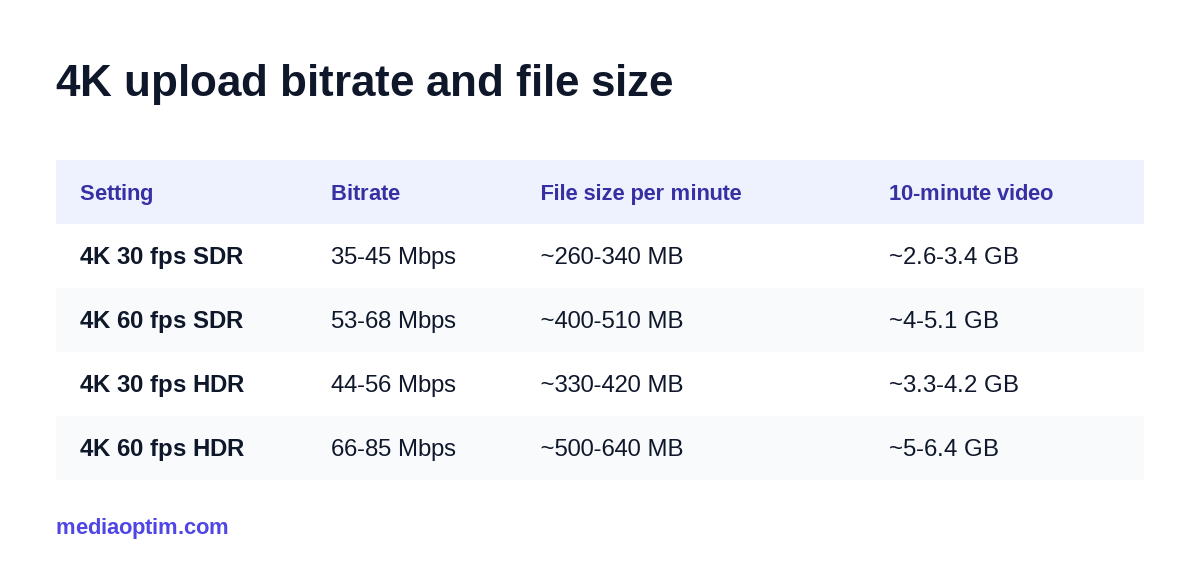
YouTube recommends 35-45 Mbps for 4K at 24-30 fps and 53-68 Mbps at 60 fps (66-85 Mbps for HDR). At 45 Mbps, one minute of 4K video is about 340 MB and a 10-minute video about 3.4 GB, so compressing before upload saves a lot of time on slower connections.
4K upload bitrate and file size
| Setting | Bitrate | File size per minute | 10-minute video |
|---|---|---|---|
| 4K 30 fps SDR | 35-45 Mbps | ~260-340 MB | ~2.6-3.4 GB |
| 4K 60 fps SDR | 53-68 Mbps | ~400-510 MB | ~4-5.1 GB |
| 4K 30 fps HDR | 44-56 Mbps | ~330-420 MB | ~3.3-4.2 GB |
| 4K 60 fps HDR | 66-85 Mbps | ~500-640 MB | ~5-6.4 GB |
Calculate Video Bitrate
Find the bitrate needed for your target size
Camera files are often 100-150 Mbps for 4K, two to three times what YouTube needs. Re-encoding to 45 Mbps in H.265 or H.264 cuts the upload to a third with no visible difference after YouTube processes it. YouTube streams 4K with VP9 or AV1, so even 1080p viewers get a sharper picture from a 4K upload.
Frequently Asked Questions
What bitrate should I use for 4K on YouTube?
35-45 Mbps for 24-30 fps and 53-68 Mbps for 48-60 fps in SDR. HDR needs about 25% more.
How big is a 10-minute 4K video for YouTube?
About 2.6-3.4 GB at the recommended 30 fps bitrate, and 4-5 GB at 60 fps.
More video bitrate calculator guides
Need More Power?
Compress videos, photos & audio. HEVC, WebP, AVIF, FLAC support.
$14.99 one-time
Get MediaOptim for MacFree Up Phone Storage
Compress photos & videos directly on iOS and Android.
$4.99 one-time
Get MediaOptim MobileAlso available on mobile
Free Up Your iPhone & Android Storage
Compress on-device. No uploads. No subscriptions.