Free Web Image Quality Checker - Optimize for Websites
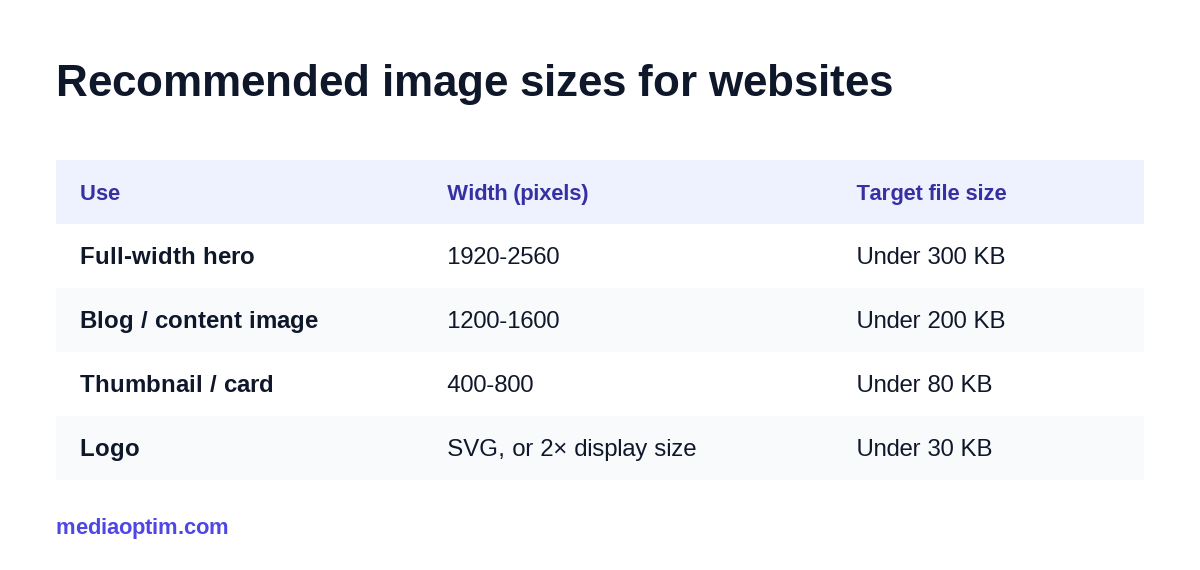
Website images should be only as large as they are displayed: about 1920-2560 pixels wide for full-width heroes, 1200-1600 for content images and 400-800 for thumbnails, ideally under 200 KB each. Check an image’s dimensions here before uploading it to your site.
Recommended image sizes for websites
| Use | Width (pixels) | Target file size |
|---|---|---|
| Full-width hero | 1920-2560 | Under 300 KB |
| Blog / content image | 1200-1600 | Under 200 KB |
| Thumbnail / card | 400-800 | Under 80 KB |
| Logo | SVG, or 2× display size | Under 30 KB |
Drop an image here or click to browse
Up to 50MB — JPG, PNG, WebP, HEIC
Large images are the most common reason pages fail Core Web Vitals, because the main image usually decides the Largest Contentful Paint. Serve WebP or AVIF, provide 2× versions for retina screens with srcset, and lazy-load images below the fold.
Frequently Asked Questions
What size should images be for a website?
1200-1600 pixels wide for most content images and 1920-2560 for full-width banners, compressed to under 200-300 KB.
Does image size affect SEO?
Yes, indirectly. Large images slow down the page, and Google uses page speed (Core Web Vitals) as a ranking signal.
More image quality checker guides
Need More Power?
Compress videos, photos & audio. HEVC, WebP, AVIF, FLAC support.
$14.99 one-time
Get MediaOptim for MacFree Up Phone Storage
Compress photos & videos directly on iOS and Android.
$4.99 one-time
Get MediaOptim MobileAlso available on mobile
Free Up Your iPhone & Android Storage
Compress on-device. No uploads. No subscriptions.