Free Image Resolution & Quality Checker - Pixel Dimensions
Image resolution is the number of pixels: a 4032×3024 iPhone photo has 12.2 megapixels. That decides how large it can be printed (13.4×10.1 inches at 300 DPI) and how sharp it looks on screens. Drop a photo here to see its exact resolution, megapixels and print size.
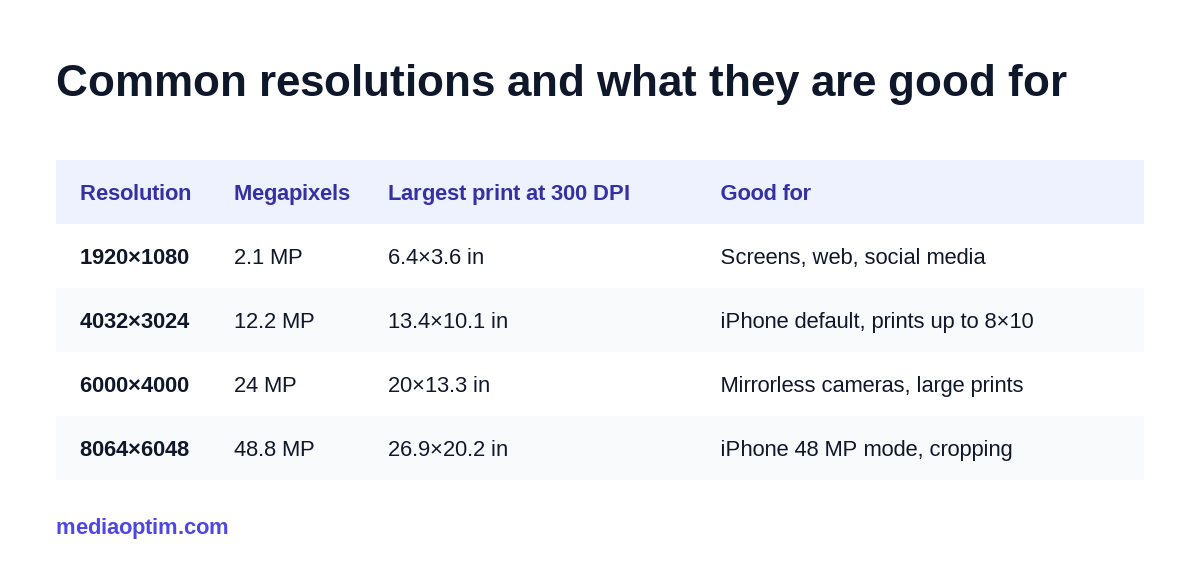
Common resolutions and what they are good for
| Resolution | Megapixels | Largest print at 300 DPI | Good for |
|---|---|---|---|
| 1920×1080 | 2.1 MP | 6.4×3.6 in | Screens, web, social media |
| 4032×3024 | 12.2 MP | 13.4×10.1 in | iPhone default, prints up to 8×10 |
| 6000×4000 | 24 MP | 20×13.3 in | Mirrorless cameras, large prints |
| 8064×6048 | 48.8 MP | 26.9×20.2 in | iPhone 48 MP mode, cropping |
Drop an image here or click to browse
Up to 50MB — JPG, PNG, WebP, HEIC
DPI (or PPI) is only a label until you print: a 4032×3024 photo has the same detail whether it says 72 or 300 DPI. What matters is the pixel count compared with the print size or the screen it will be shown on.
Frequently Asked Questions
What is a good image resolution?
For screens, 1920 pixels wide is plenty. For prints, about 300 pixels per inch of print size.
Does changing DPI improve quality?
No. Changing DPI without resampling only changes the print size label; the number of pixels and the detail stay the same.
More image quality checker guides
Need More Power?
Compress videos, photos & audio. HEVC, WebP, AVIF, FLAC support.
$14.99 one-time
Get MediaOptim for MacFree Up Phone Storage
Compress photos & videos directly on iOS and Android.
$4.99 one-time
Get MediaOptim MobileAlso available on mobile
Free Up Your iPhone & Android Storage
Compress on-device. No uploads. No subscriptions.