Free Photography Quality Checker - Professional Standards
For photography, resolution decides how much you can crop and how large you can print. A 24-megapixel photo (6000×4000) prints at 20×13 inches at 300 DPI; a 12-megapixel photo at about 13×10. Drop an image here to see its dimensions, megapixels and maximum print size.
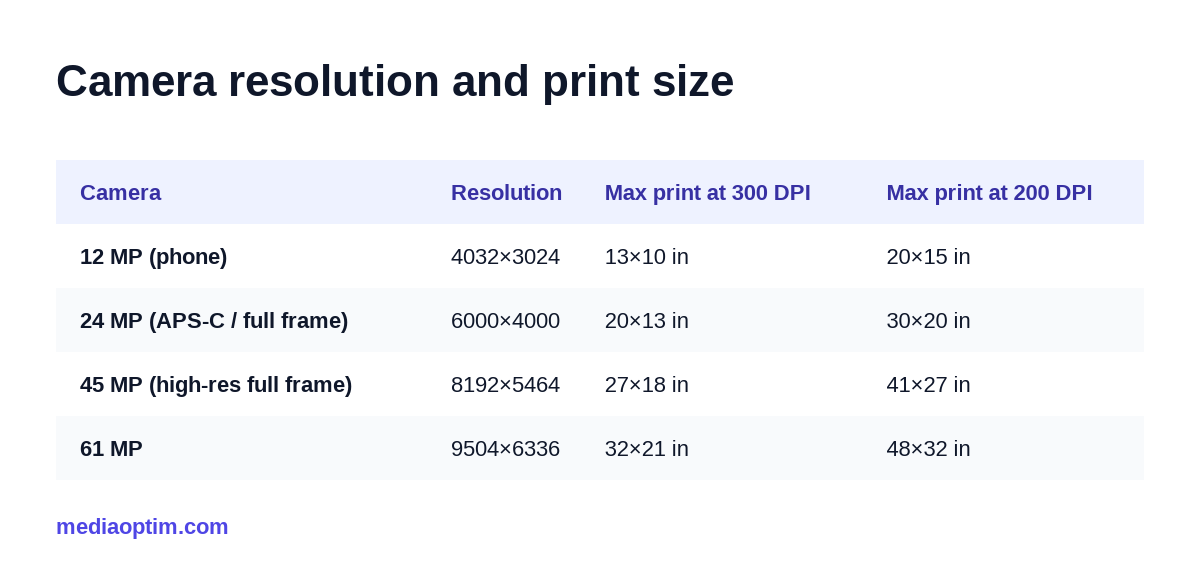
Camera resolution and print size
| Camera | Resolution | Max print at 300 DPI | Max print at 200 DPI |
|---|---|---|---|
| 12 MP (phone) | 4032×3024 | 13×10 in | 20×15 in |
| 24 MP (APS-C / full frame) | 6000×4000 | 20×13 in | 30×20 in |
| 45 MP (high-res full frame) | 8192×5464 | 27×18 in | 41×27 in |
| 61 MP | 9504×6336 | 32×21 in | 48×32 in |
Drop an image here or click to browse
Up to 50MB — JPG, PNG, WebP, HEIC
More megapixels help with cropping and large prints but also mean larger files: a 45 MP RAW file can be 50-60 MB. Exporting finished photos as high-quality JPG or HEIC and compressing archived RAW files keeps a growing library manageable.
Frequently Asked Questions
How many megapixels do I need?
12 MP is enough for screens and prints up to about 10×13 inches. 24 MP or more helps if you crop heavily or print larger.
Is a bigger file always better quality?
No. File size also depends on compression and format. A well-compressed 4 MB JPG can look identical to a 20 MB one at normal viewing sizes.
More image quality checker guides
Need More Power?
Compress videos, photos & audio. HEVC, WebP, AVIF, FLAC support.
$14.99 one-time
Get MediaOptim for MacFree Up Phone Storage
Compress photos & videos directly on iOS and Android.
$4.99 one-time
Get MediaOptim MobileAlso available on mobile
Free Up Your iPhone & Android Storage
Compress on-device. No uploads. No subscriptions.