Free PNG to WebP Converter for WordPress - Optimize Site Speed
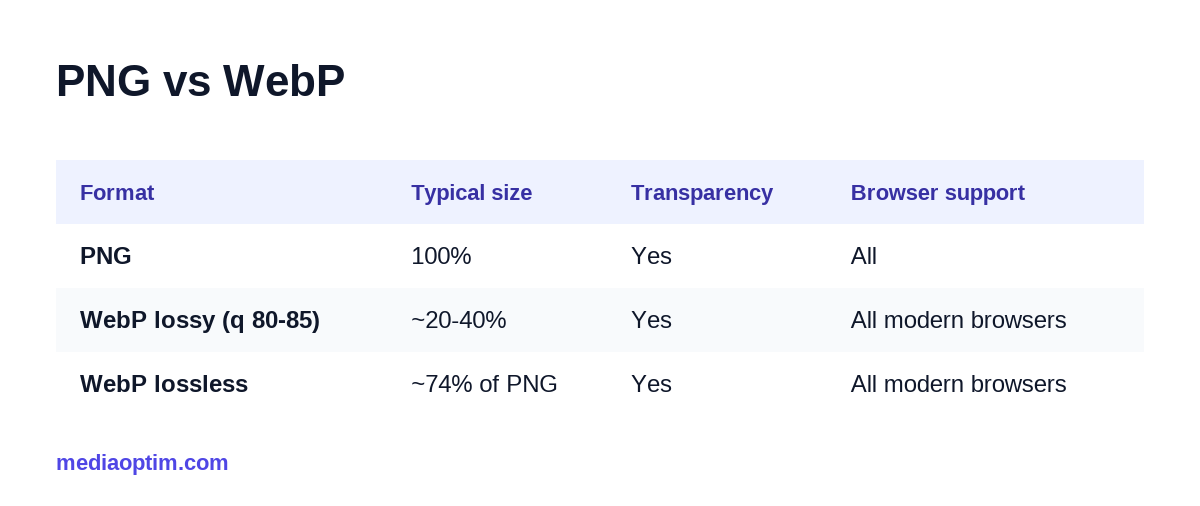
WordPress has accepted WebP uploads since version 5.8, so you can convert PNG images to WebP before uploading and skip an image optimization plugin. WebP is 26% smaller than PNG in lossless mode and often 60-80% smaller in lossy mode, which directly improves page speed scores.
PNG vs WebP
| Format | Typical size | Transparency | Browser support |
|---|---|---|---|
| PNG | 100% | Yes | All |
| WebP lossy (q 80-85) | ~20-40% | Yes | All modern browsers |
| WebP lossless | ~74% of PNG | Yes | All modern browsers |
Drop PNG files here or click to browse
Up to 50MB each — unlimited files
Upload WebP files through the Media Library like any other image. WordPress generates its usual thumbnail sizes from them. If your host’s image library lacks WebP support, thumbnails may fail; most current hosts support it, and a quick test upload confirms it.
Frequently Asked Questions
Does WordPress support WebP?
Yes, since WordPress 5.8 (2021), as long as your server’s image library (GD or Imagick) supports WebP.
Do I need a plugin to use WebP in WordPress?
No. Converting PNG to WebP before uploading works without a plugin. Plugins only help if you want to convert an existing library automatically.
More png to webp converter guides
Need More Power?
Compress videos, photos & audio. HEVC, WebP, AVIF, FLAC support.
$14.99 one-time
Get MediaOptim for MacFree Up Phone Storage
Compress photos & videos directly on iOS and Android.
$4.99 one-time
Get MediaOptim MobileAlso available on mobile
Free Up Your iPhone & Android Storage
Compress on-device. No uploads. No subscriptions.