Free PNG to WebP with Transparency - Alpha Channel Support
WebP supports transparency in both lossless and lossy modes, so you can convert transparent PNGs (logos, icons, product cut-outs) without losing the alpha channel. Lossy WebP with transparency is often 60-80% smaller than the PNG. Every modern browser, including Safari, displays transparent WebP.
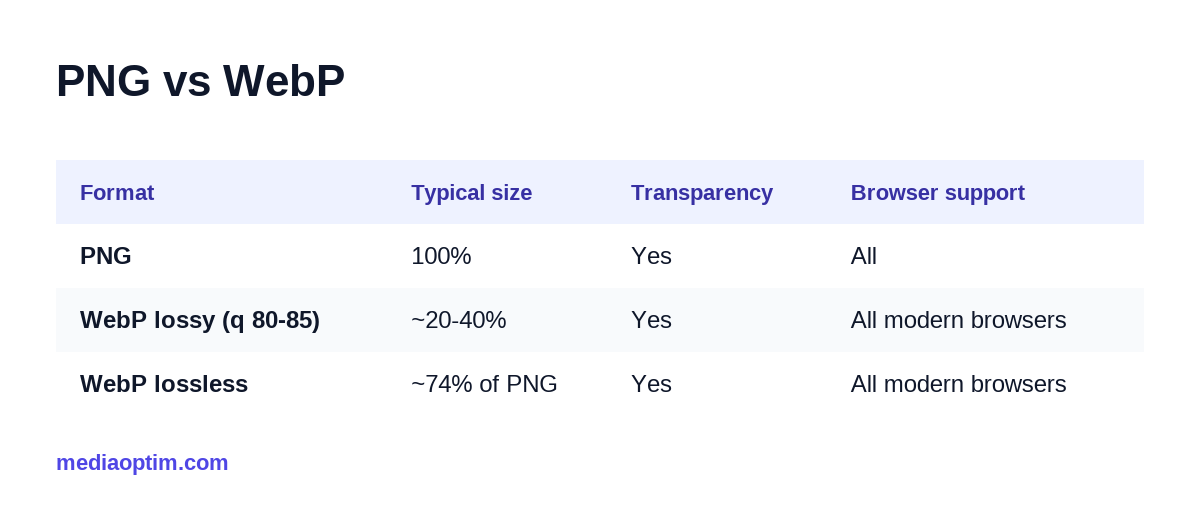
PNG vs WebP
| Format | Typical size | Transparency | Browser support |
|---|---|---|---|
| PNG | 100% | Yes | All |
| WebP lossy (q 80-85) | ~20-40% | Yes | All modern browsers |
| WebP lossless | ~74% of PNG | Yes | All modern browsers |
Drop PNG files here or click to browse
Up to 50MB each — unlimited files
Use lossless WebP for logos and icons with sharp edges and flat colors, where it is about 26% smaller than PNG and pixel-identical. Use lossy WebP at quality 85-90 for photographic cut-outs, where savings are much larger and edges still look clean.
Frequently Asked Questions
Does WebP support transparency?
Yes, both lossless and lossy WebP keep the alpha channel.
Will my transparent PNG look the same as WebP?
In lossless mode it is pixel-identical. In lossy mode, very fine semi-transparent edges can soften slightly at low quality settings.
More png to webp converter guides
Need More Power?
Compress videos, photos & audio. HEVC, WebP, AVIF, FLAC support.
$14.99 one-time
Get MediaOptim for MacFree Up Phone Storage
Compress photos & videos directly on iOS and Android.
$4.99 one-time
Get MediaOptim MobileAlso available on mobile
Free Up Your iPhone & Android Storage
Compress on-device. No uploads. No subscriptions.