Free JPG to WebP for Shopify - Product Image Optimizer
Shopify’s CDN already serves images as WebP to browsers that support it, so you can upload JPG files and visitors still get WebP. Converting before upload still helps: smaller files upload faster and keep your admin and theme editor responsive.
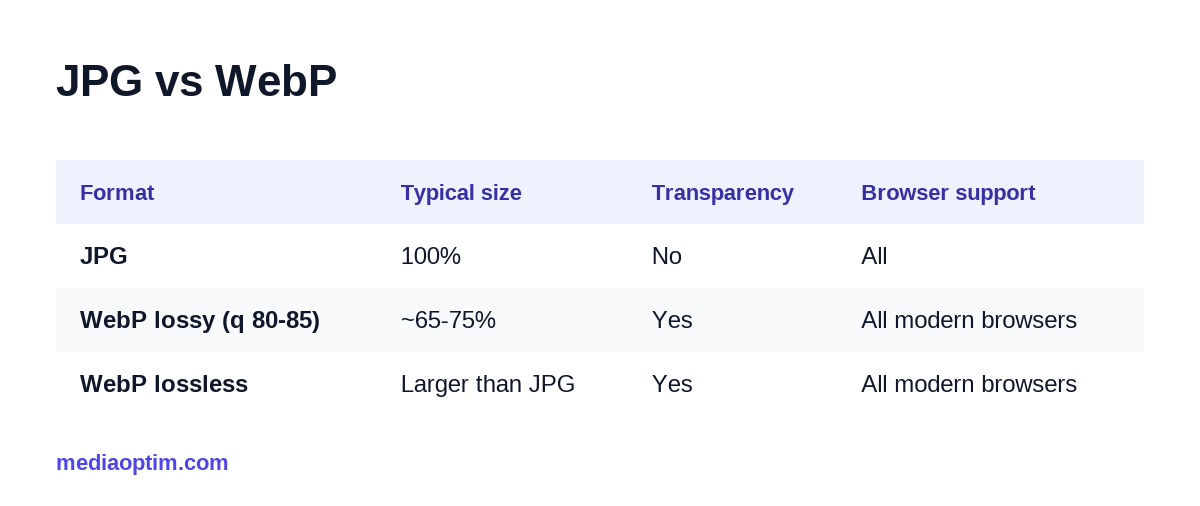
JPG vs WebP
| Format | Typical size | Transparency | Browser support |
|---|---|---|---|
| JPG | 100% | No | All |
| WebP lossy (q 80-85) | ~65-75% | Yes | All modern browsers |
| WebP lossless | Larger than JPG | Yes | All modern browsers |
Drop JPG files here or click to browse
Up to 50MB each — unlimited files
What matters most on Shopify is the size you upload: a 2048×2048 product photo compressed to under 500 KB loads quickly on every theme. Very large originals (10+ MB) are still downscaled by the CDN but slow down editing and bulk imports.
Frequently Asked Questions
Does Shopify convert images to WebP?
Yes. Shopify’s CDN automatically serves WebP (or AVIF) to supporting browsers.
Should I upload WebP to Shopify?
You can, and it keeps uploads small, but it is optional because Shopify converts images for visitors anyway.
More jpg to webp converter guides
Need More Power?
Compress videos, photos & audio. HEVC, WebP, AVIF, FLAC support.
$14.99 one-time
Get MediaOptim for MacFree Up Phone Storage
Compress photos & videos directly on iOS and Android.
$4.99 one-time
Get MediaOptim MobileAlso available on mobile
Free Up Your iPhone & Android Storage
Compress on-device. No uploads. No subscriptions.