Free JPG to WebP Converter for Next.js - Next/Image Ready
Next.js’s Image component converts images to WebP (or AVIF) automatically when a server runs the image optimizer. With static export (output: export) or images: unoptimized, it does not, so converting JPG files to WebP yourself is what keeps pages fast.
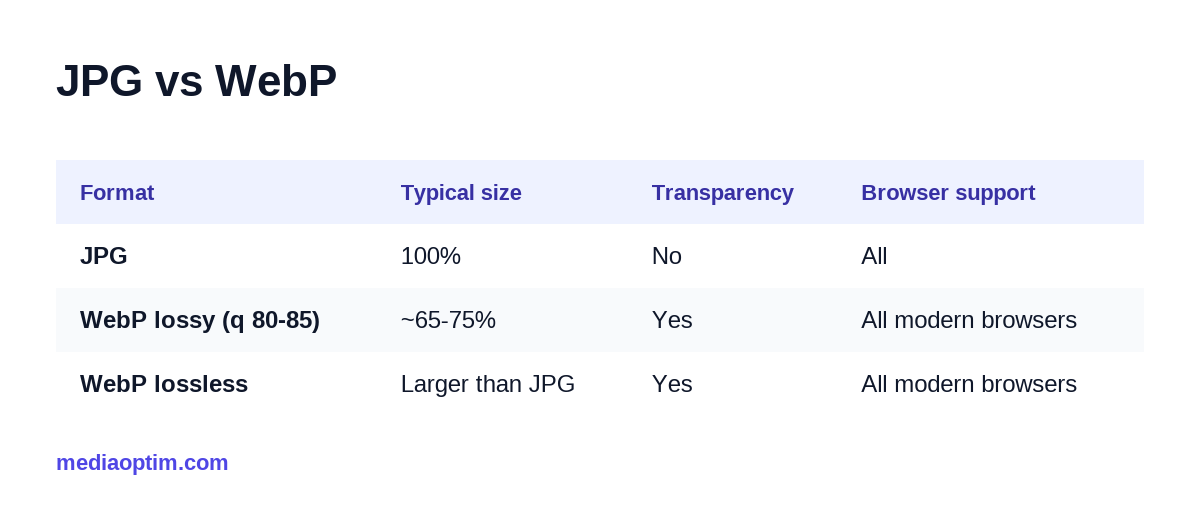
JPG vs WebP
| Format | Typical size | Transparency | Browser support |
|---|---|---|---|
| JPG | 100% | No | All |
| WebP lossy (q 80-85) | ~65-75% | Yes | All modern browsers |
| WebP lossless | Larger than JPG | Yes | All modern browsers |
Drop JPG files here or click to browse
Up to 50MB each — unlimited files
In a static Next.js site, put pre-converted .webp files in public/ and reference them directly. WebP is 25-34% smaller than JPG at the same visual quality. Keep width and height on every image so the layout does not shift while it loads.
Frequently Asked Questions
Does Next.js convert images to WebP automatically?
Yes, next/image does it on request when the image optimizer runs on a server. Static exports and unoptimized mode skip it.
Should I use WebP or AVIF in Next.js?
AVIF is usually smaller but slower to encode; WebP is faster and universally supported. Both are good choices.
More jpg to webp converter guides
Need More Power?
Compress videos, photos & audio. HEVC, WebP, AVIF, FLAC support.
$14.99 one-time
Get MediaOptim for MacFree Up Phone Storage
Compress photos & videos directly on iOS and Android.
$4.99 one-time
Get MediaOptim MobileAlso available on mobile
Free Up Your iPhone & Android Storage
Compress on-device. No uploads. No subscriptions.