Free Blur Detection for Photographers - Quality Control Tool
This blur check measures how much edge detail a photo has using the variance of the Laplacian, the same method many culling tools use. Scores above 150 are sharp, 100-150 acceptable and below 100 blurry, so you can sort a shoot quickly before editing, all in the browser.
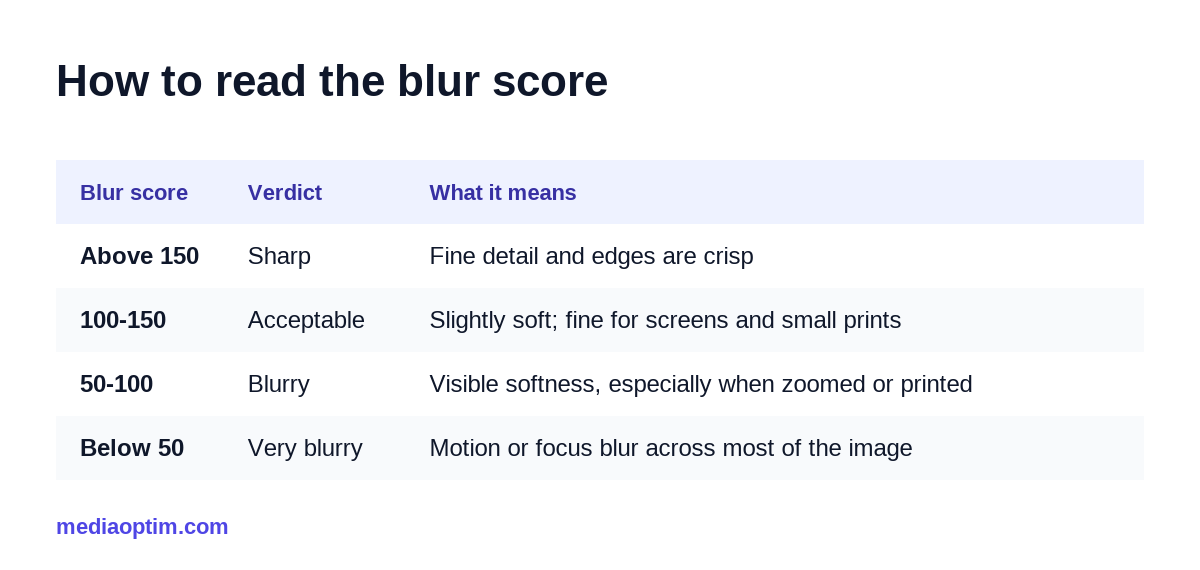
How to read the blur score
| Blur score | Verdict | What it means |
|---|---|---|
| Above 150 | Sharp | Fine detail and edges are crisp |
| 100-150 | Acceptable | Slightly soft; fine for screens and small prints |
| 50-100 | Blurry | Visible softness, especially when zoomed or printed |
| Below 50 | Very blurry | Motion or focus blur across most of the image |
Drop an image here or click to browse
Up to 50MB — JPG, PNG, WebP, HEIC
Common causes of blur in photography
Most soft photos come from three things: shutter speed too slow for the lens (the classic rule is at least 1 over the focal length, so 1/50 s at 50 mm), missed focus at wide apertures, and subject motion. Shallow depth of field lowers the score on purpose, so compare photos from the same scene rather than across different styles.
Frequently Asked Questions
How does the blur score work?
It measures how sharply brightness changes between neighboring pixels. Sharp photos have strong edges and a high variance; blurry photos have soft edges and a low one.
Why does a portrait with a blurred background score low?
A creamy background has few edges, which lowers the overall score. Check whether the subject’s eyes look sharp rather than relying on the number alone.
More blur detector guides
Need More Power?
Compress videos, photos & audio. HEVC, WebP, AVIF, FLAC support.
$14.99 one-time
Get MediaOptim for MacFree Up Phone Storage
Compress photos & videos directly on iOS and Android.
$4.99 one-time
Get MediaOptim MobileAlso available on mobile
Free Up Your iPhone & Android Storage
Compress on-device. No uploads. No subscriptions.