Free iPhone Photo Blur Detector - Clean Up Photo Library
iPhone photos are often soft because of motion in low light, a smudged lens or Night mode on a moving subject. Drop a photo here to get a blur score in seconds: above 150 is sharp, 100-150 acceptable and below 100 blurry. Nothing is uploaded.
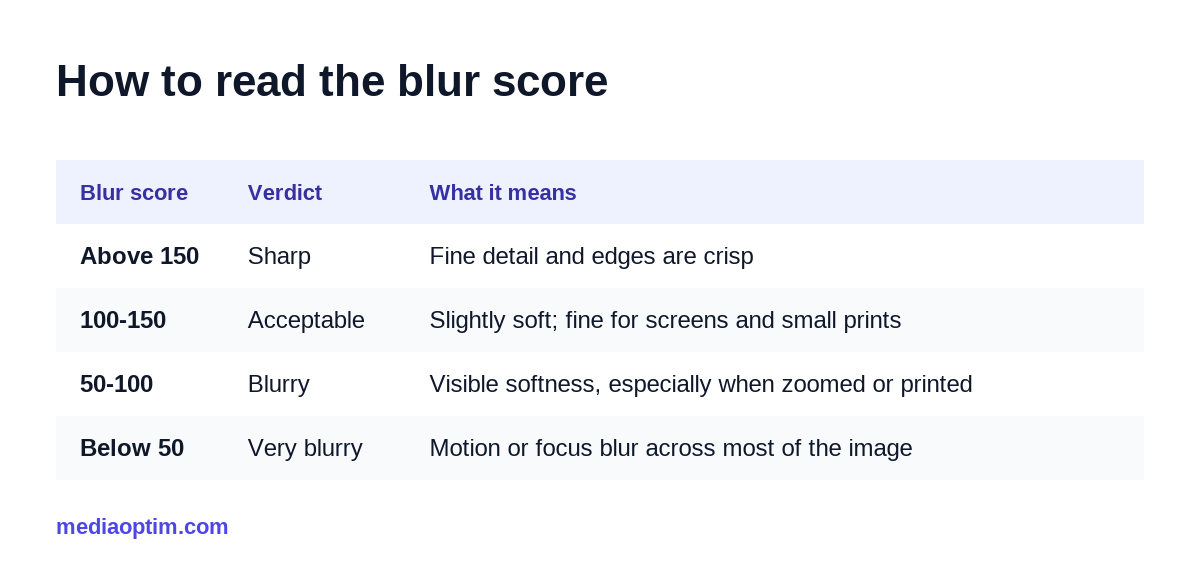
How to read the blur score
| Blur score | Verdict | What it means |
|---|---|---|
| Above 150 | Sharp | Fine detail and edges are crisp |
| 100-150 | Acceptable | Slightly soft; fine for screens and small prints |
| 50-100 | Blurry | Visible softness, especially when zoomed or printed |
| Below 50 | Very blurry | Motion or focus blur across most of the image |
Drop an image here or click to browse
Up to 50MB — JPG, PNG, WebP, HEIC
How to take sharper photos on iPhone
Wipe the lens before shooting (pocket smudges are the most common cause), tap to focus on the subject, and hold the phone with both hands in low light, where Night mode needs 1-3 seconds of stillness. Live Photos and burst mode give you several frames to choose from, and this tool helps pick the sharpest one.
Frequently Asked Questions
Why are my iPhone photos blurry?
Usually a dirty lens, camera shake in low light, or the iPhone switching to a lens that cannot focus that close. Cleaning the lens fixes most cases.
Can I fix a blurry iPhone photo?
Slight softness can be improved with sharpening in Photos or an editor. Strong motion or focus blur cannot be fully recovered, so it is better to keep the sharpest shot and delete the rest.
More blur detector guides
Need More Power?
Compress videos, photos & audio. HEVC, WebP, AVIF, FLAC support.
$14.99 one-time
Get MediaOptim for MacFree Up Phone Storage
Compress photos & videos directly on iOS and Android.
$4.99 one-time
Get MediaOptim MobileAlso available on mobile
Free Up Your iPhone & Android Storage
Compress on-device. No uploads. No subscriptions.