Free iPhone Video File Size Calculator - iOS Recording Storage
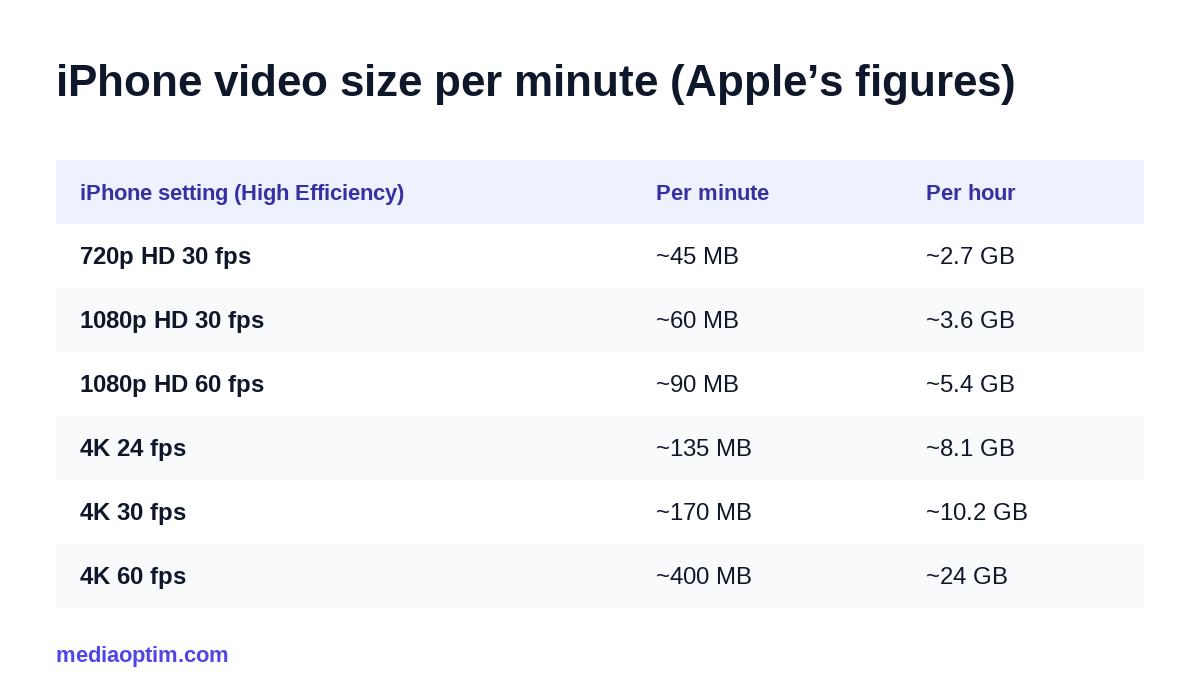
An iPhone recording in 4K at 30 fps uses about 170 MB per minute, 4K at 60 fps about 400 MB and 1080p at 30 fps about 60 MB (High Efficiency/HEVC). One hour of 4K at 60 fps fills about 24 GB, which is why video is usually the largest thing on an iPhone.
iPhone video size per minute (Apple’s figures)
| iPhone setting (High Efficiency) | Per minute | Per hour |
|---|---|---|
| 720p HD 30 fps | ~45 MB | ~2.7 GB |
| 1080p HD 30 fps | ~60 MB | ~3.6 GB |
| 1080p HD 60 fps | ~90 MB | ~5.4 GB |
| 4K 24 fps | ~135 MB | ~8.1 GB |
| 4K 30 fps | ~170 MB | ~10.2 GB |
| 4K 60 fps | ~400 MB | ~24 GB |
Calculate Video File Size
Estimate storage needs for your video
These are Apple’s estimates for the High Efficiency format. “Most Compatible” records H.264 and roughly doubles the size, and ProRes uses up to about 6 GB per minute in 4K. Compressing older clips to HEVC at a lower bitrate is the fastest way to recover tens of gigabytes without deleting videos.
Frequently Asked Questions
How much storage does 1 minute of iPhone 4K video take?
About 170 MB at 30 fps and 400 MB at 60 fps in High Efficiency format.
How do I make iPhone videos take less space?
Record in High Efficiency, use 4K at 30 fps instead of 60 fps unless you need slow motion, and compress older clips with an app like MediaOptim.
More video file size calculator guides
Need More Power?
Compress videos, photos & audio. HEVC, WebP, AVIF, FLAC support.
$14.99 one-time
Get MediaOptim for MacFree Up Phone Storage
Compress photos & videos directly on iOS and Android.
$4.99 one-time
Get MediaOptim MobileAlso available on mobile
Free Up Your iPhone & Android Storage
Compress on-device. No uploads. No subscriptions.