Your Mac Is Full. You Don't Want to Delete Anything.
Keep all your photos and videos while getting 40-70% of your storage back. No monthly fees. No cloud uploads. Works in minutes.
Try free with 10 files. No credit card. No signup.
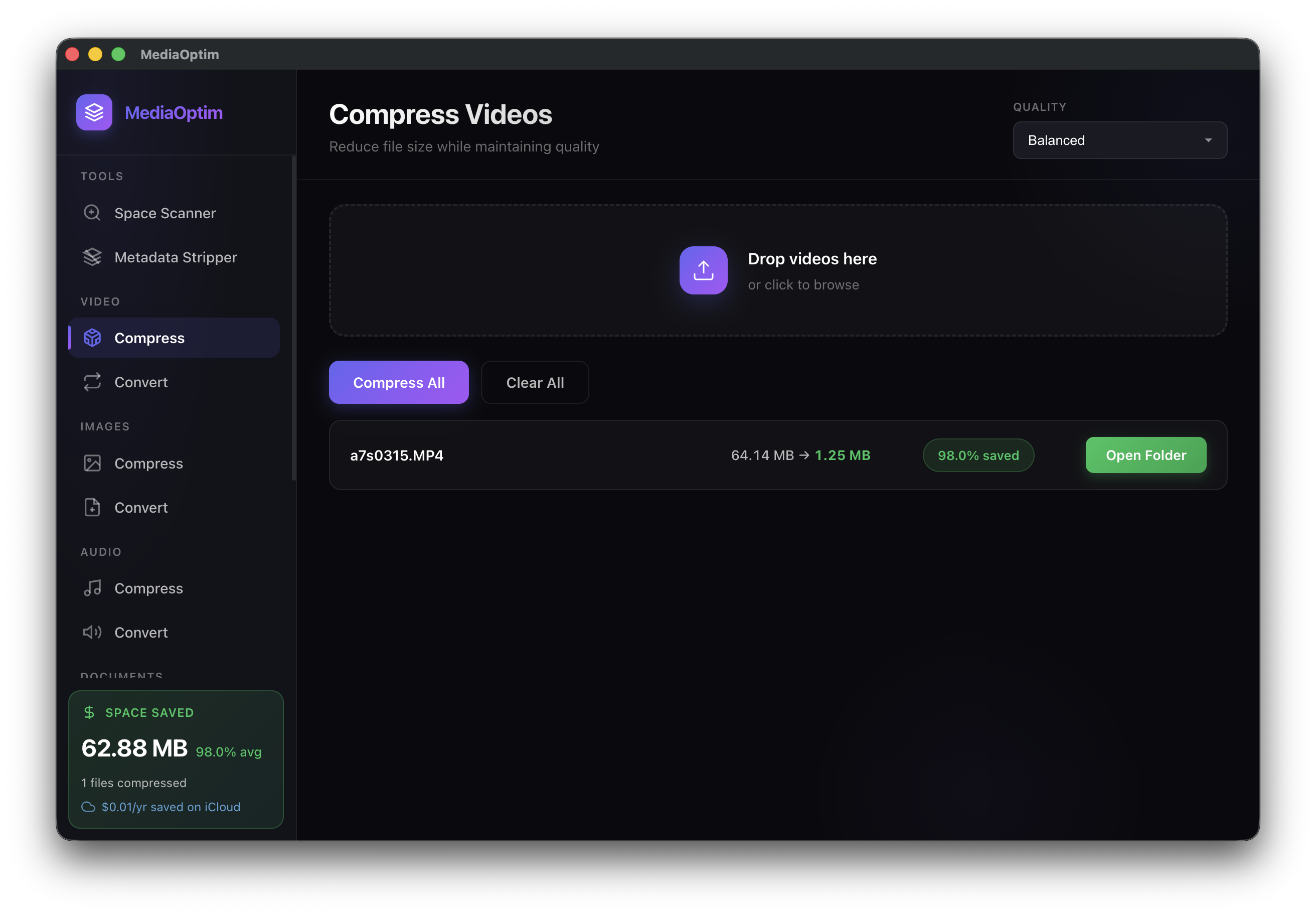
64.14 MB → 1.25 MB — Same quality, 98% smaller
Sound Familiar?
"Your disk is almost full"
You have years of photos and videos—memories you can't replace. Apple wants you to pay $3/month forever for iCloud. Deleting isn't an option.
What if you could keep everything AND get 50GB+ back?
Which Problem Are You Facing?
Click to learn how to fix it
Mac Storage Full
Your Mac says there's no space left, but you don't want to delete your photos
Mac Running Slow
Everything takes forever to open. The spinning wheel never stops.
Tired of Paying iCloud
$3/month forever? There has to be a better way.
iPhone Photos Filling Mac
Your iPhone takes amazing photos. Your Mac can't keep up.
Can't Update macOS
Not enough space for the latest update? Here's the quick fix.
Photos Taking Too Much Space
Years of memories = hundreds of gigabytes. What can you do?
How It Works (No Tech Skills Needed)
If you can drag and drop, you can use MediaOptim
Drop Your Photos
Drag your photos folder into MediaOptim. That's it. No settings to configure.
Click One Button
MediaOptim figures out the best way to make files smaller while keeping them looking the same.
Get Your Space Back
Watch as 100GB becomes 40GB. Same photos. Same videos. Half the storage.
See It In Action
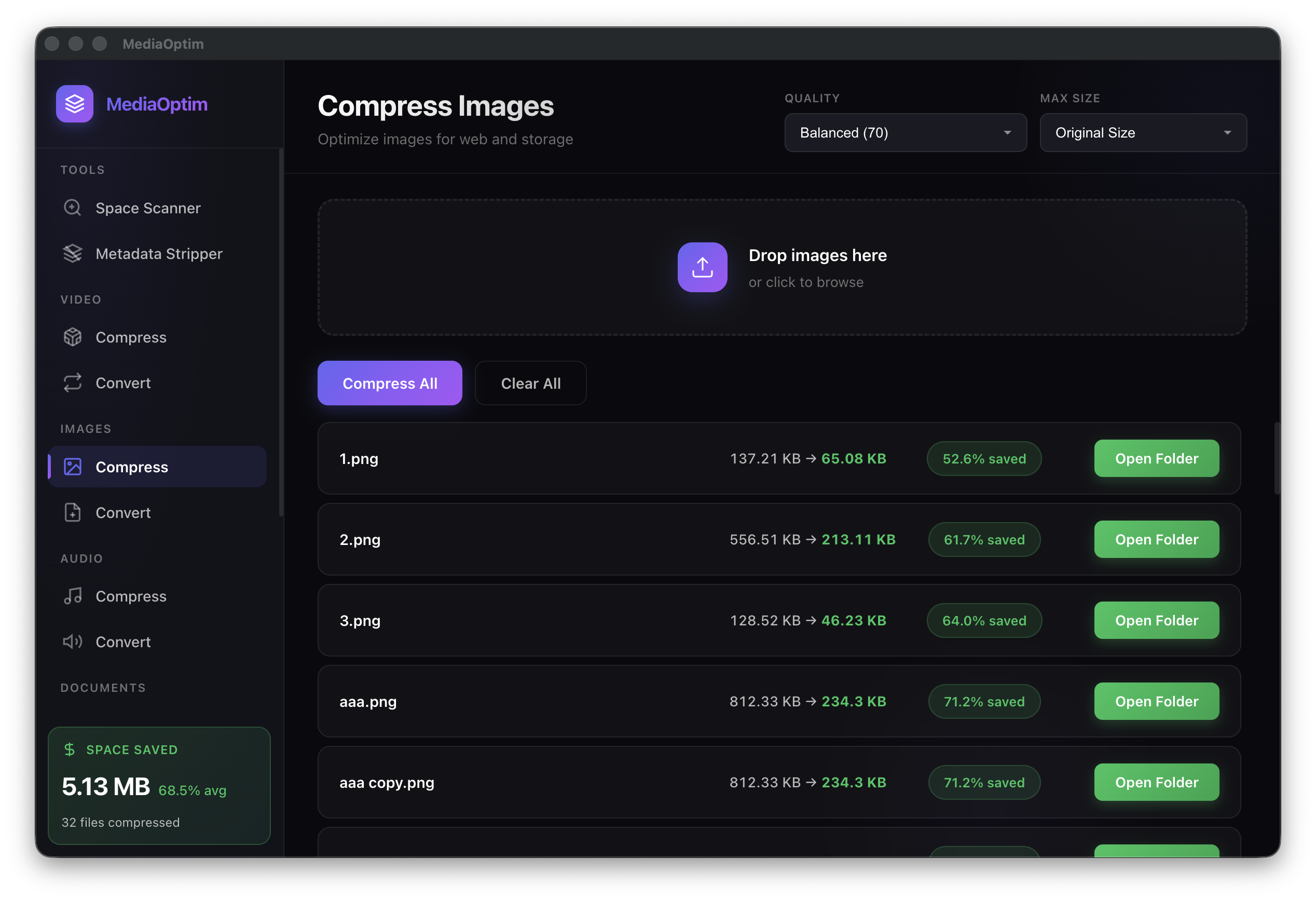
68.5%
Average Savings
32 files
Batch Processed
1 click
That's all it takes
What MediaOptim Does For You
Everything happens on your Mac. Nothing goes to the cloud.
Shrink Videos
Your iPhone videos are huge. MediaOptim makes them 50-60% smaller while looking exactly the same.
Optimize Photos
Years of photos add up. Reduce them by 40-70% without noticing any difference.
Compress Audio
Podcasts, voice memos, music files—all made smaller without affecting how they sound.
100% Private
Your files never leave your Mac. We literally can't see your photos because they stay on YOUR computer.
Process Folders
Don't want to select files one by one? Drop an entire folder and let MediaOptim handle it.
Find Space Hogs
Not sure what's using your space? MediaOptim shows you the biggest files so you can start there.
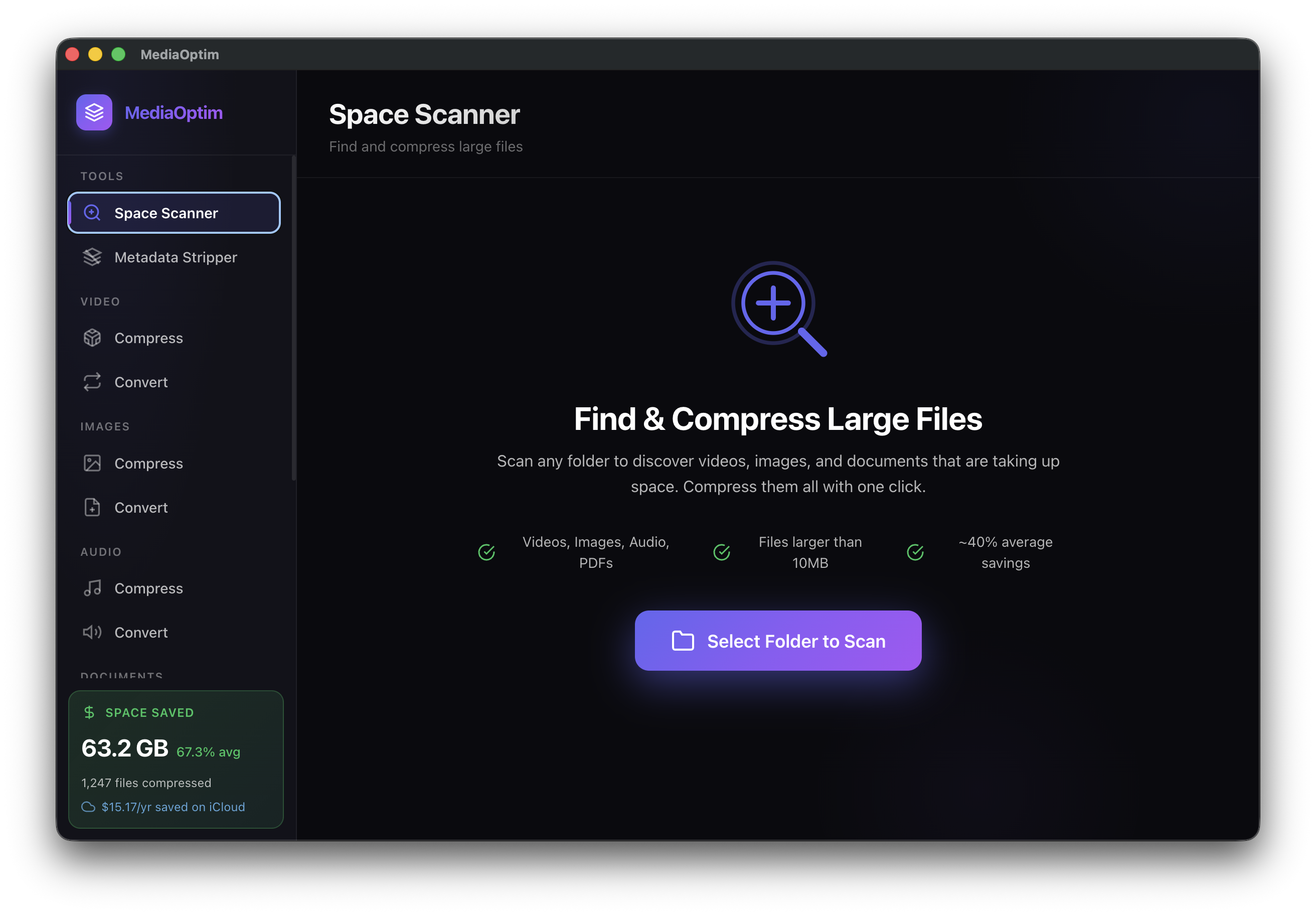
Find & Compress Large Files Automatically
Not sure where your storage went? The Space Scanner finds videos, images, and documents eating up your disk—then compresses them with one click.
- Scans videos, images, audio & PDFs
- Finds files larger than 10MB
- ~40% average space savings
"Why Not Just Use iCloud?"
💸 iCloud costs $36-120/year forever
MediaOptim is $49 once. After 10 months, you're saving money every day.
📡 iCloud needs internet to see your photos
With MediaOptim, your photos stay on your Mac. No WiFi? No problem.
🔒 iCloud puts your photos on Apple's servers
With MediaOptim, your photos never leave your computer. True privacy.
🔄 Cancel iCloud and your storage fills up again
MediaOptim actually makes your files smaller. The space savings are permanent.
One Price. Yours Forever.
No subscriptions. No "premium tiers." Just fair pricing.
Pro
- Unlimited files
- Process entire folders
- Space finder tool
- Priority support
- All future updates
Business
- Everything in Pro
- Use on 3 Macs
- Automation tools
- Priority support
Pays for itself in under a year compared to iCloud storage fees.
Questions You Might Have
Will my photos look worse?
No. You'd have to zoom in to 400% and look really carefully to spot any difference. For viewing, sharing, or even printing, they look identical to the originals.
Is this safe? What happens to my originals?
Your original files are safe. MediaOptim lets you preview results before saving, and you can choose to keep originals alongside the optimized versions. We always recommend having backups of important files.
Do my files get uploaded anywhere?
Never. Everything happens on your Mac. Your photos never leave your computer. We couldn't see your files even if we wanted to—they're not sent anywhere.
What if it doesn't work for me?
We offer a 30-day money-back guarantee. If MediaOptim doesn't help you save storage, we'll refund you completely. No questions asked.
Does it work with iPhone photos?
Yes! iPhone photos and videos are actually where most people save the most space. Those 4K videos can be reduced by 50-60% while looking exactly the same.
Free Online Tools
Try our browser-based tools — no download required, 100% private
Image Compressor
Compress JPG, PNG, and WebP images by up to 80%. Runs entirely in your browser.
Use free toolImage Format Converter
Convert PNG to JPG, HEIC to JPG, WebP to PNG and more. Free and private.
Use free toolPDF Compressor
Reduce PDF file size by up to 80%. Perfect for email attachments and storage.
Use free toolPhoto Metadata Stripper
See hidden GPS location and camera data in your photos, then strip it all.
Use free toolImage Resizer
Batch resize for Instagram, TikTok, Amazon FBA, YouTube, and 20+ platforms.
Use free toolLearn More About Mac Storage
Why Your Mac Storage Fills Up So Fast
It's not what you think. The real culprit is probably in your Photos app.
Read more →Is iCloud Storage Actually Worth It?
An honest look at the costs, benefits, and alternatives.
Read more →5 Signs Your Mac Needs a Storage Cleanup
These warning signs mean it's time to free up some space.
Read more →Stop Fighting With Your Storage
Join the waitlist and be the first to know when MediaOptim launches.
No spam. Just a quick email when we launch.
Coming soon:
Works on macOS 12 and later